Guide · Memory
Your context, with whichever model you choose.
Keep useful details in True North. They are saved in True North and added to your question for whichever model you choose, so the same context comes with you when you switch models.
In this walkthrough, we save a paper-craft preference, pick it for a question, use it again with a model from another provider, then update and remove it.
What you can do
- Save details you want the AI to know, or let True North pick them up from your conversations.
- Let relevant memories be added to your questions automatically, or choose them yourself, message by message.
- See, edit, export and delete everything that is saved.
Before you begin
- Saved memories are added to questions in Single Chat and Multi Chat. This walkthrough uses Single Chat; sign in and open a Single Chat with any model.
- The family account’s owner or an admin manages the Memory settings, and they apply to everyone in the family.
- These steps use ordinary chats. Memory is not used in end-to-end encrypted chats.
1Save a useful detail#
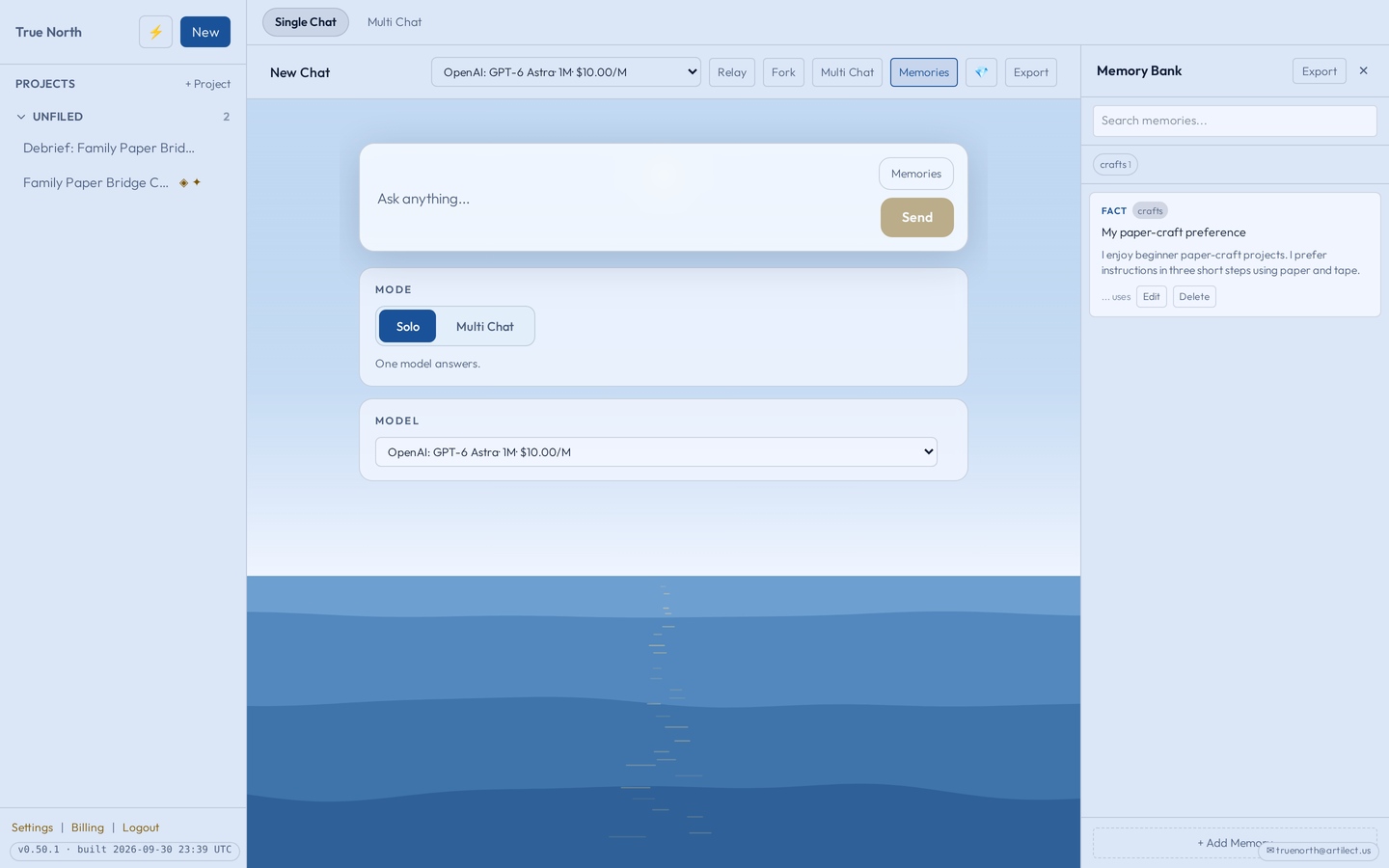
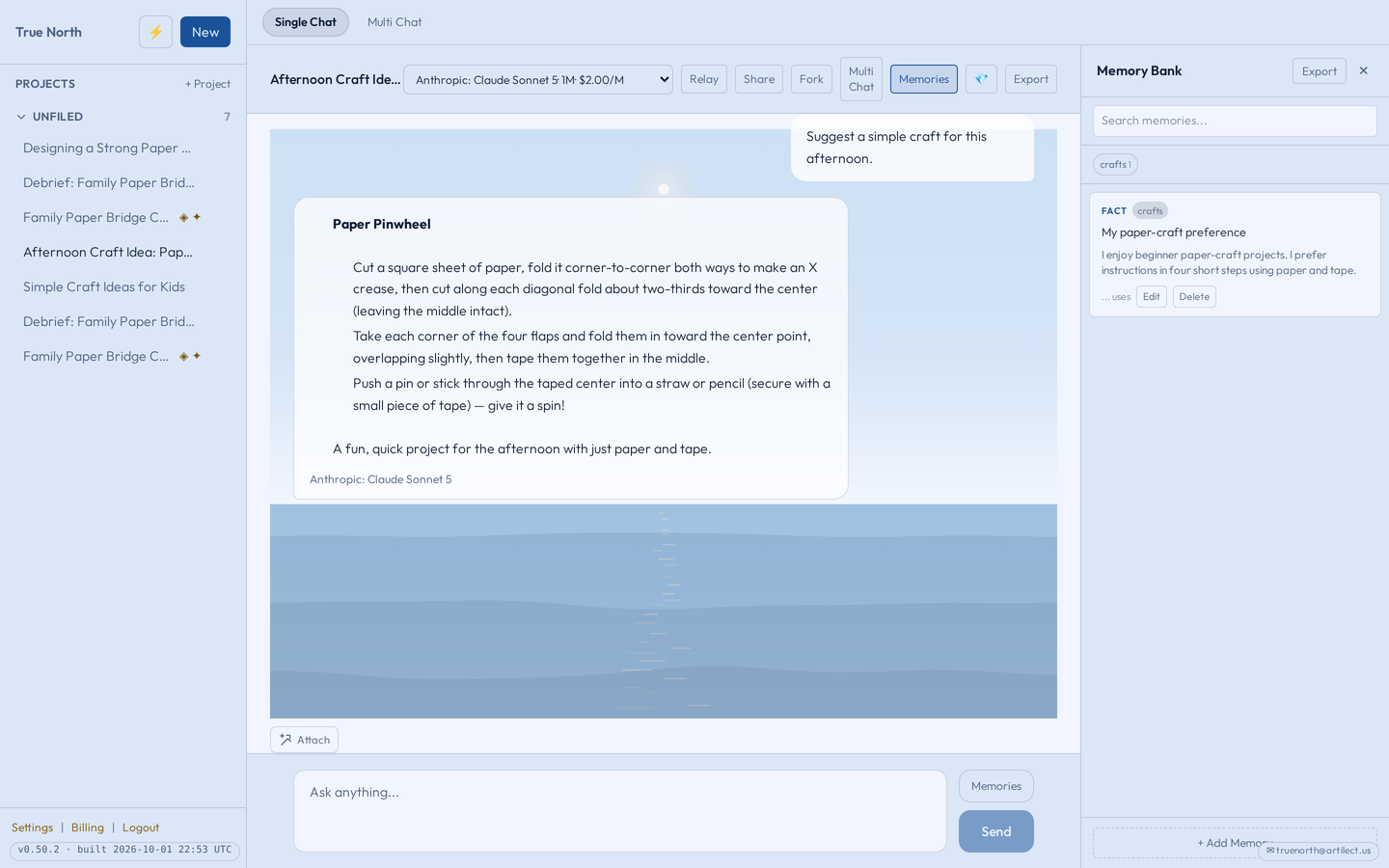
Choose Memories at the top of a Single Chat to open your Memory Bank, then choose + Add Memory. Give it a short summary, the details, and tags if you like. You can also add memories on the Memories page.
Our example summary is “My paper-craft preference”, with these details:
I enjoy beginner paper-craft projects. I prefer instructions in three short steps using paper and tape.
We wrote this one ourselves. True North can also save details from your conversations; see Choices and boundaries.
2Choose how memories are used#
By default, True North adds saved memories that look relevant to your question. Only those are added, not everything you have saved.
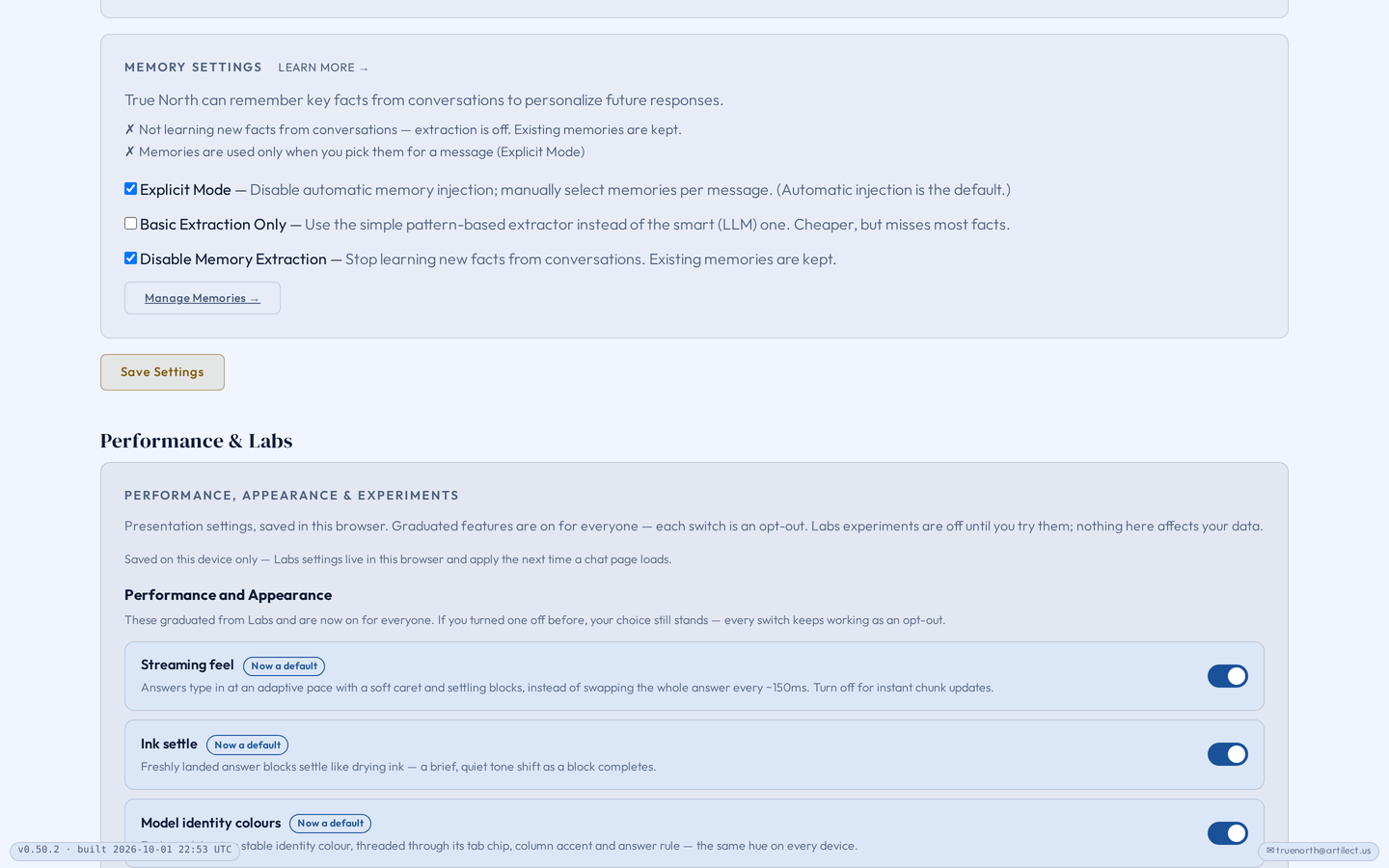
In Settings → Family → Memory Settings, turn on Explicit Mode if you want saved memories included only when you select them. Explicit Mode is off by default.
Saving new memories and using saved memories are separate choices. Disable Memory Extraction stops True North learning new details from conversations; memories you already have are kept and can still be used. These settings apply to the whole family, so talk changes over with the people they affect.
3Pick memories for a question#
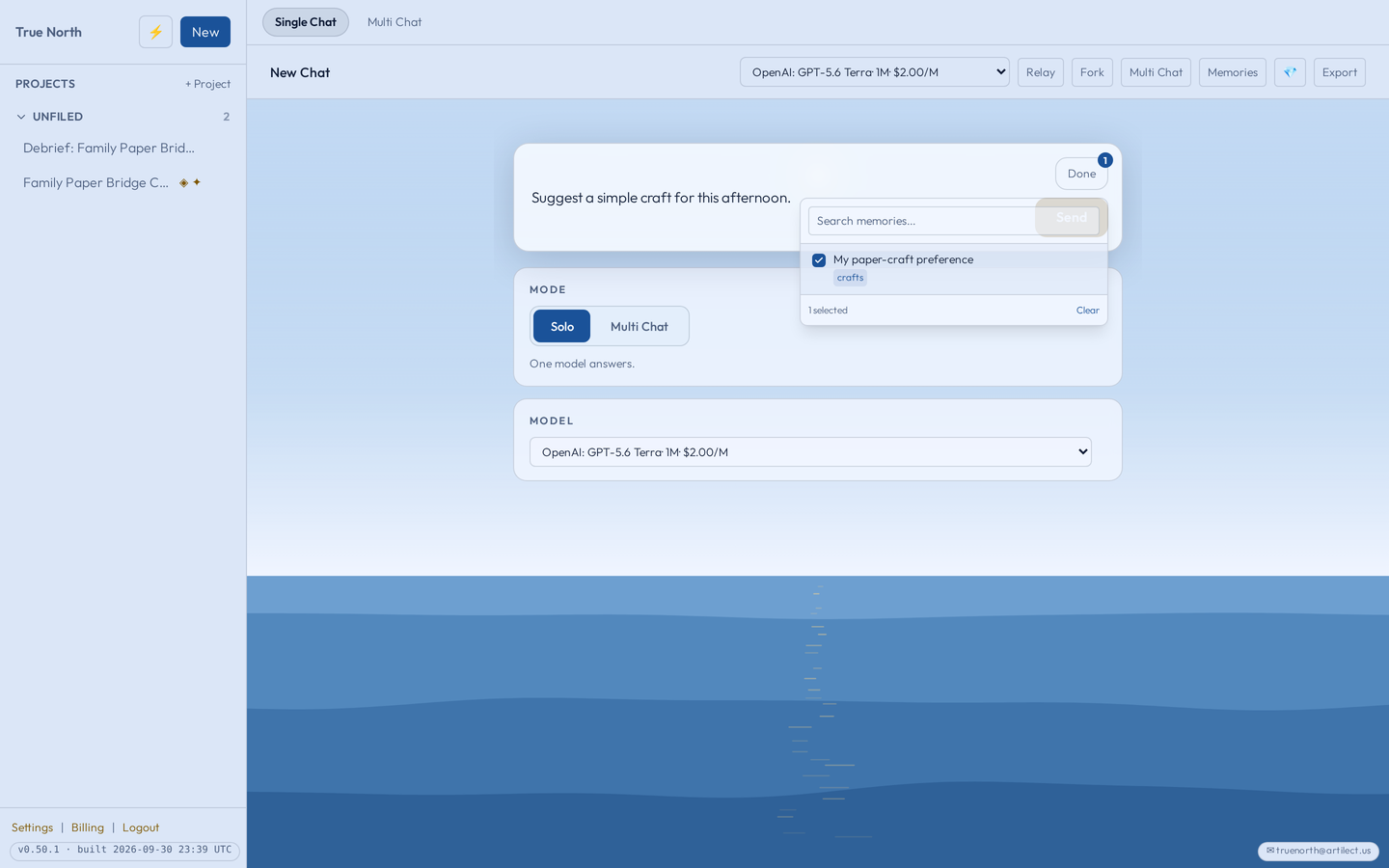
Beside the message box is a Memories button. Open it, tick the paper-craft preference, choose Done, and send:
Suggest a simple craft for this afternoon.
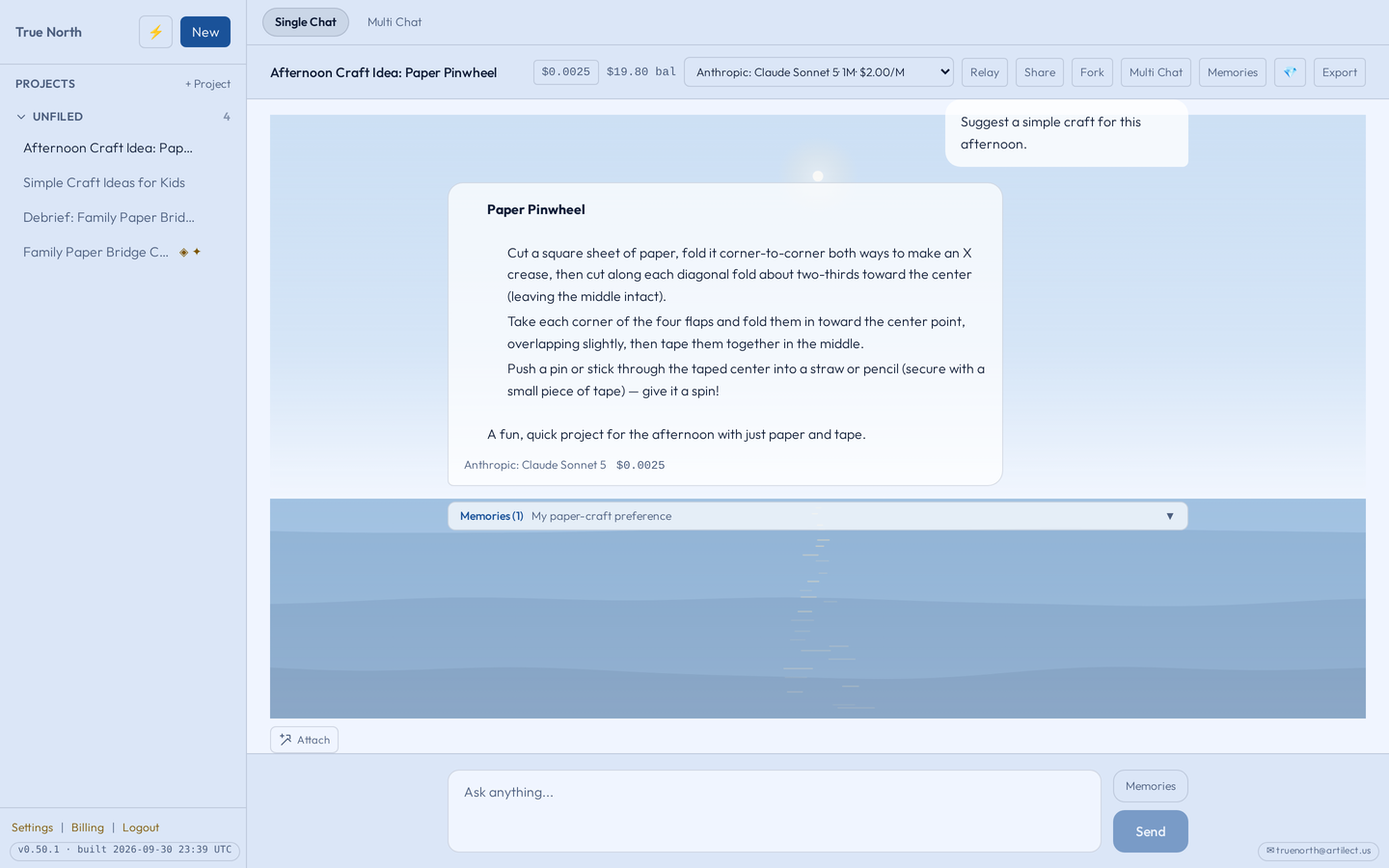
The picker is there in either mode. When you pick memories for a message, your pick replaces the automatic choice for that message. After the answer arrives, the Memories bar under it shows which saved memories went with the question.
4Use the same memory with another model#
Start another Single Chat and choose a model from a different provider in the model menu. Pick the same memory and ask the same question.
In Multi Chat, one pick goes to each model in the round: the Memories button sits beside the Multi Chat message box too, and the bar under the round’s question says how many models the memories were sent to.
The memory is saved once, in True North, so you don’t keep a separate copy for each provider. The answers may differ, and a model may not follow every preference perfectly.
This does not sync with a provider’s own app or its memory. The memories that go with your question are sent to the model you chose, as part of that question.
5Update, export or delete a memory#
When a preference changes, open the Memory Bank, choose Edit, change “three short steps” to “four short steps”, and choose Save.
Choose Delete to remove a memory you no longer want. After you confirm, it is gone for good and stops being used in future conversations. It does not change earlier answers or take back context already sent with earlier questions.
Export at the top of the Memory Bank downloads all your saved memories as a file.
Choices and boundaries
What True North saves by itself
Unless extraction is turned off, True North looks at what you tell it for lasting details: facts about you, preferences, goals. It skips one-off requests and passing questions, and doesn’t save numbers that look like card or ID numbers. It learns from the questions you ask in Multi Chat too. New memories appear in your Memory Bank, where you can edit or delete them. Basic Extraction Only uses a simpler method that is cheaper but misses most details.
Where saved memories are used
Saved memories are added to questions in Single Chat and in Multi Chat. In a Multi Chat round, the same memories go to each model in the round, and Cross-review, Synthesize and Bearings on that round use the same memories as background. You can pick memories for a new question or for Reply to all; a reply to one model uses the automatic choice.
Whose memories they are
Each person has their own saved memories. Children have their own too, under the same family settings, and a parent can’t open a child’s Memory Bank.
Encrypted chats
Memory does not run on encrypted chats. No memories are learned from an end-to-end encrypted chat, and saved memories are not added to it. That is the trade-off for the stronger privacy encryption gives you.
Try it
Save one ordinary preference, pick it for a question, and check the Memories bar under the answer.