01Multi Chat
See what one answer might miss.
One question, several answers. Explore a real recorded round, then look closer at how the models differ.
After the answers: three steps for any round
-
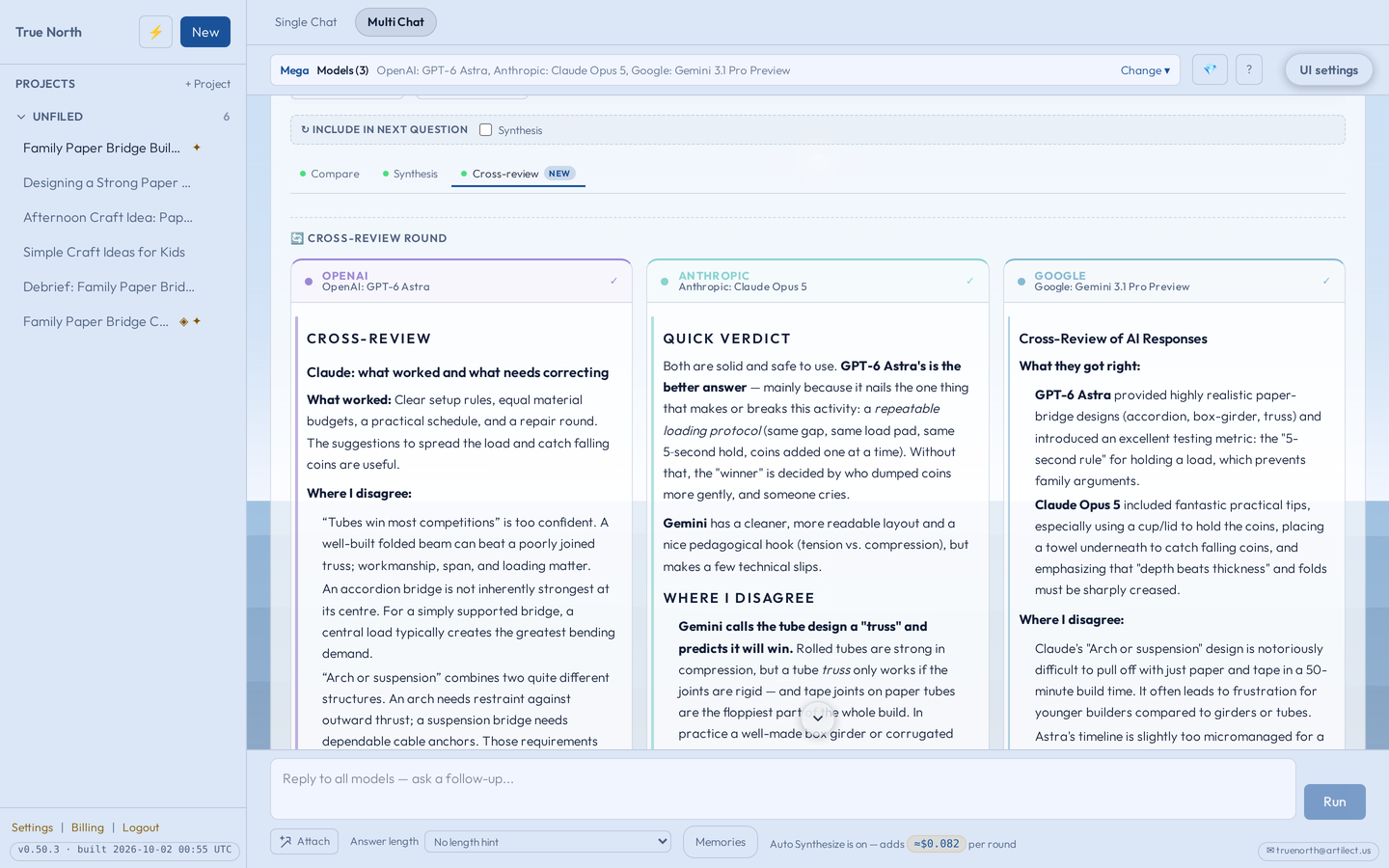
Cross-review
Each model critiques the other answers. A model never reviews its own. See a screenshot
-
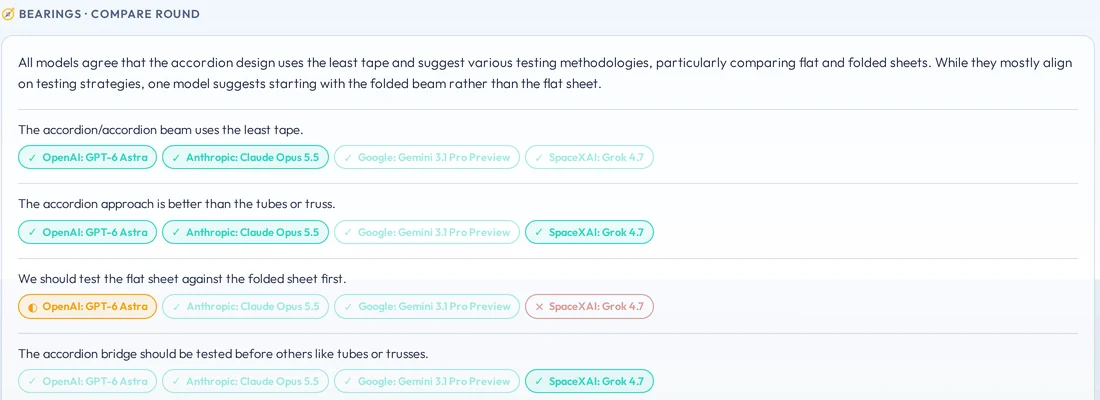
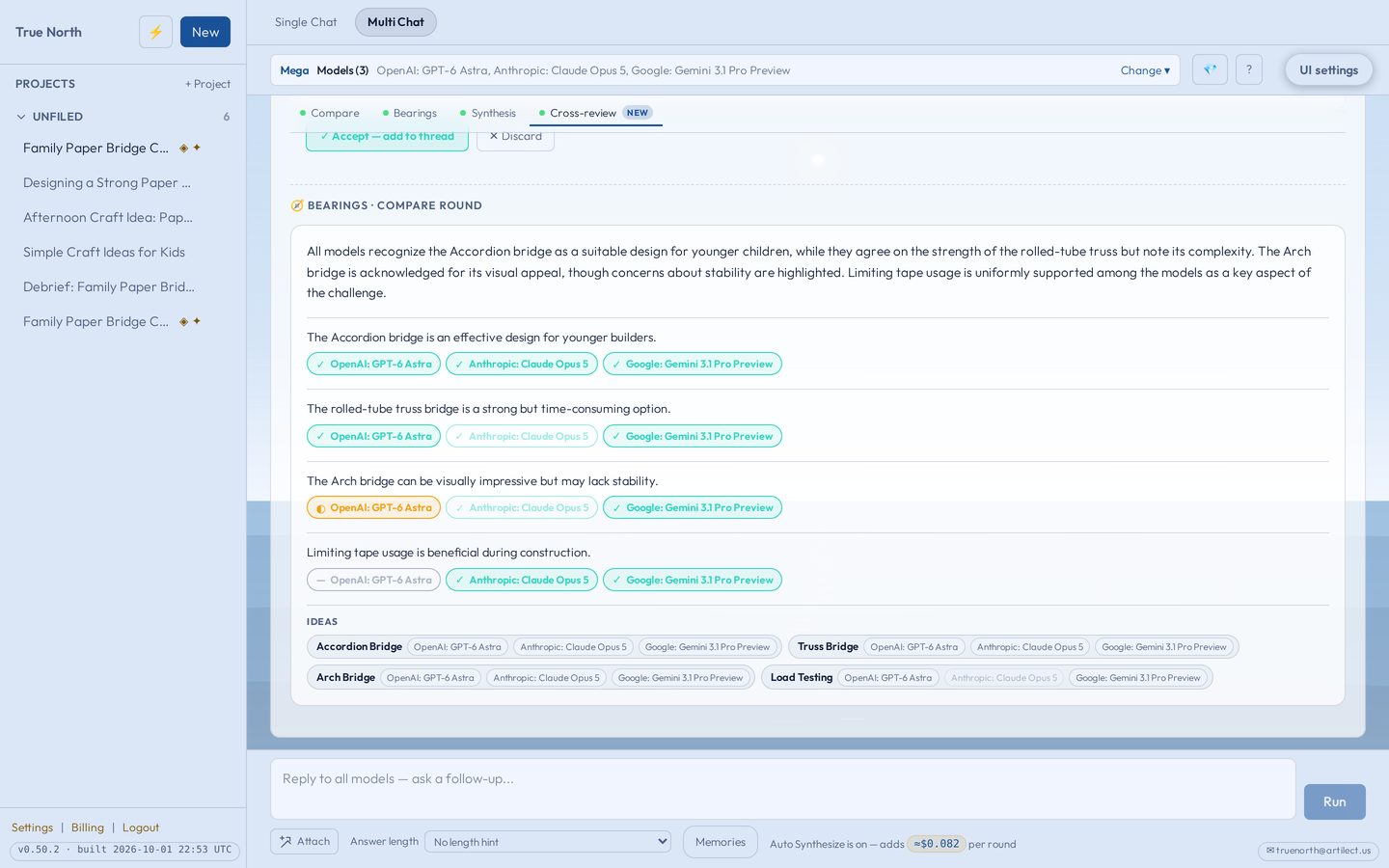
Bearings
A map of where the answers agree and differ, built from what they already said. It doesn’t ask the models again.
-
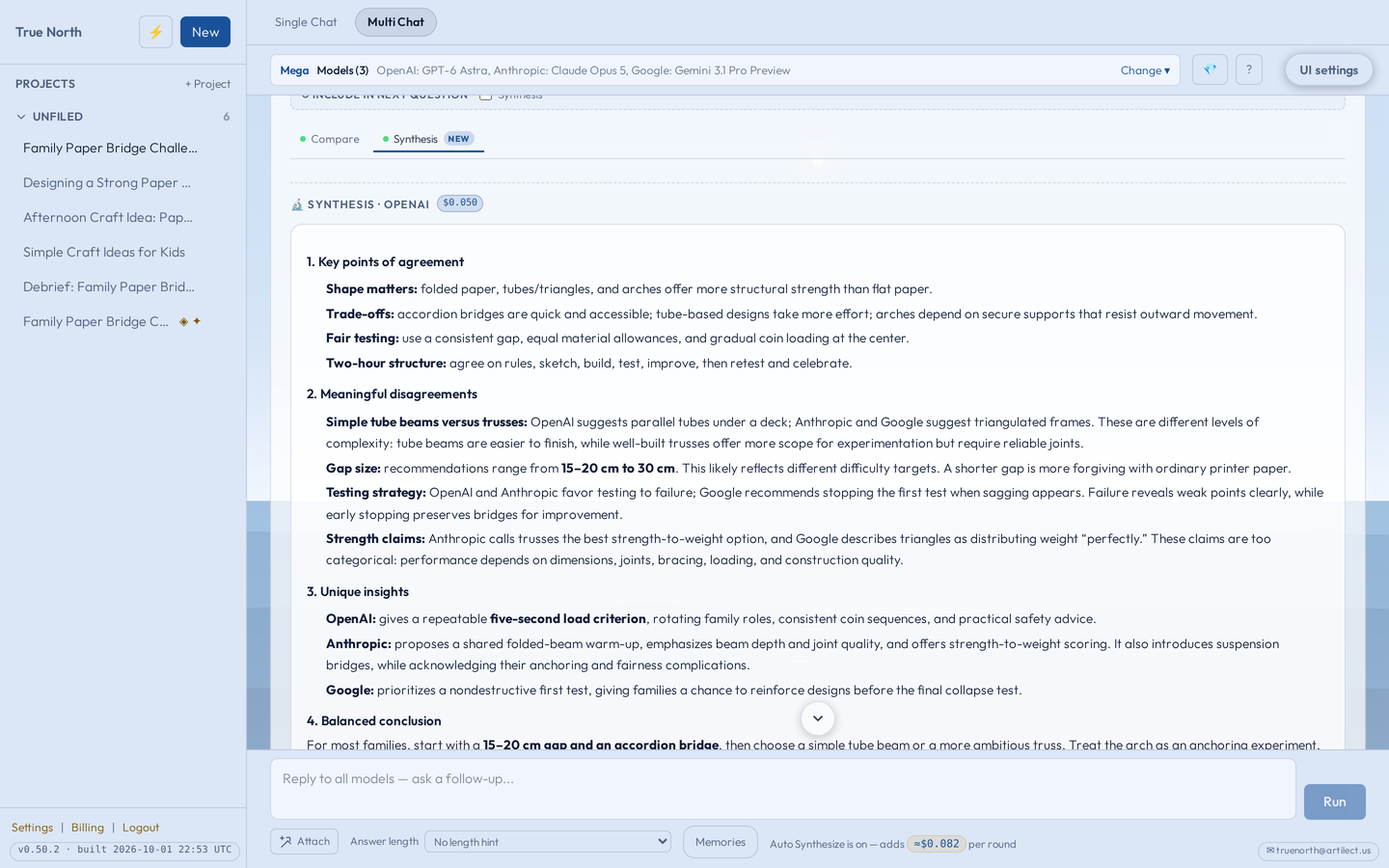
Synthesize
One combined answer, with the original answers still there to read. See a screenshot
Models can share the same mistakes. Agreement alone doesn’t make an answer right, and none of these steps is independent fact-checking. They help you see what to look at more closely.
- Basic
- Fast, low-cost models for everyday questions: OpenAI · Anthropic · DeepSeek. The free trial runs Basic.
- Medium
- Strong but cheaper models: OpenAI · Anthropic · Google · DeepSeek.
- Mega
- The flagship from each of OpenAI · Anthropic · Google · xAI.
- Wildcard
- Fast models from outside the big four labs: Mistral · Z.ai · DeepSeek.
Mega, Medium and Wildcard are part of Plus. Today’s catalog: 153 models from 14 labs.
Walk through Multi Chat02Memory
Less explaining yourself.
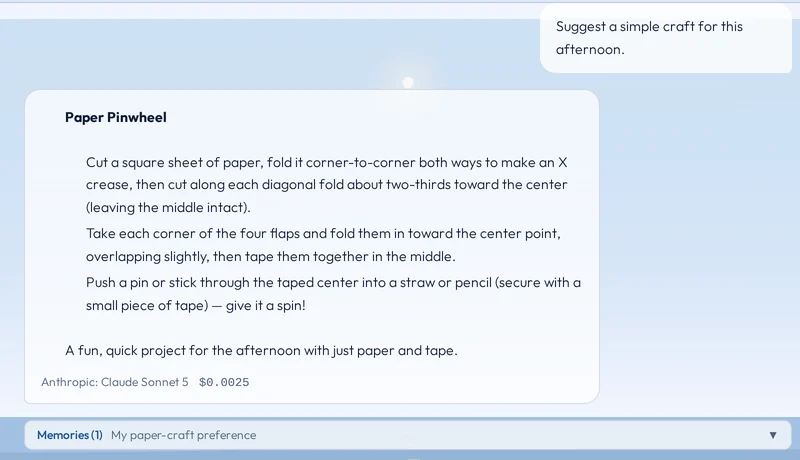
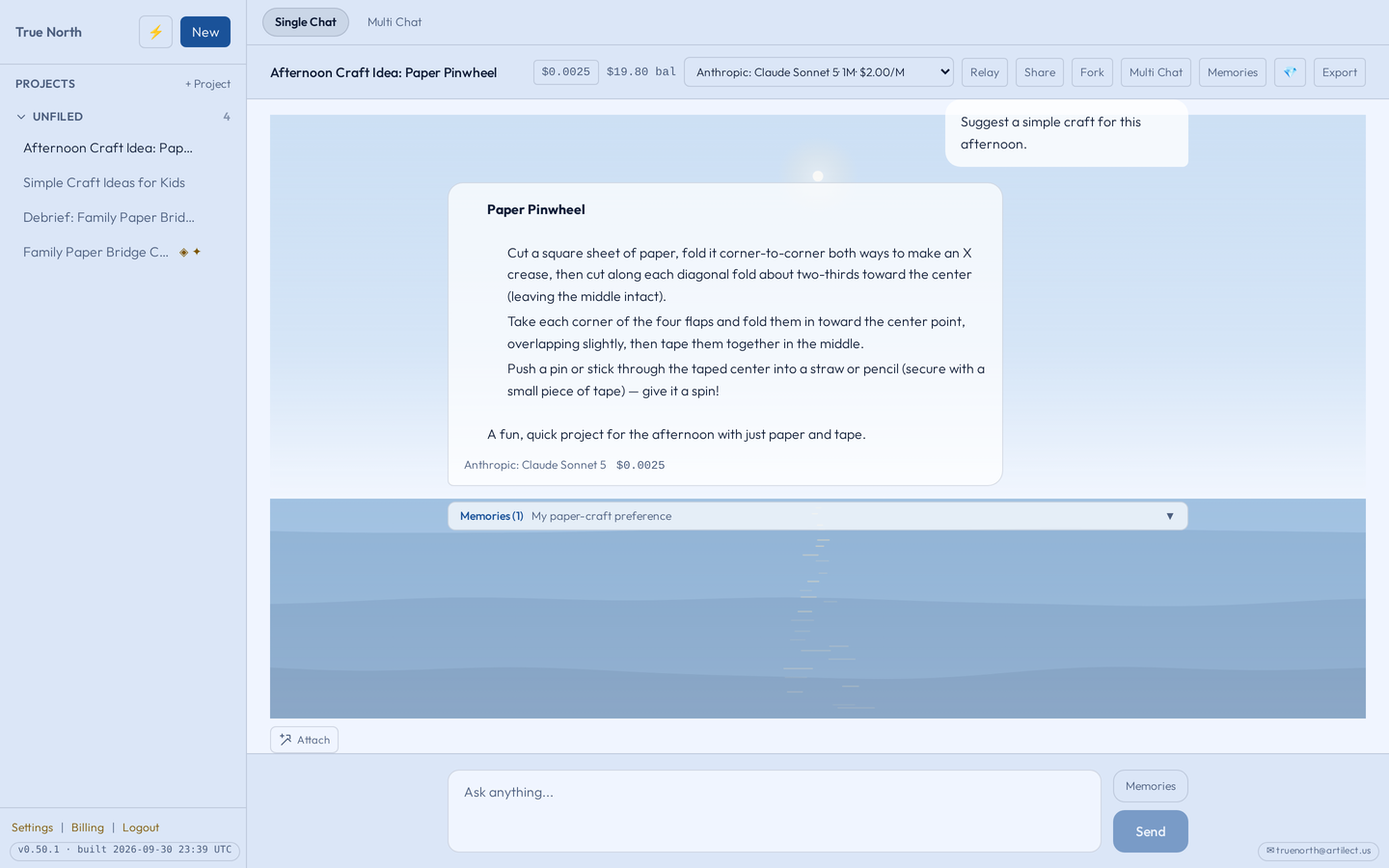
Save the details that matter, like your children’s ages or how you like answers. They are saved in True North and added to your question for whichever model you choose.
- Saved memories are added to questions in Single Chat and in Multi Chat, where the same memories go to each model in the round.
- Pick memories for a message yourself, or let True North choose. Review, edit or delete what’s kept.
- Each person has their own saved memories. Memory does not run on encrypted chats, and it doesn’t sync with a provider’s own app.
03Sharing & Gems
Keep the part worth coming back to.
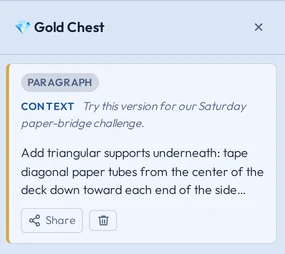
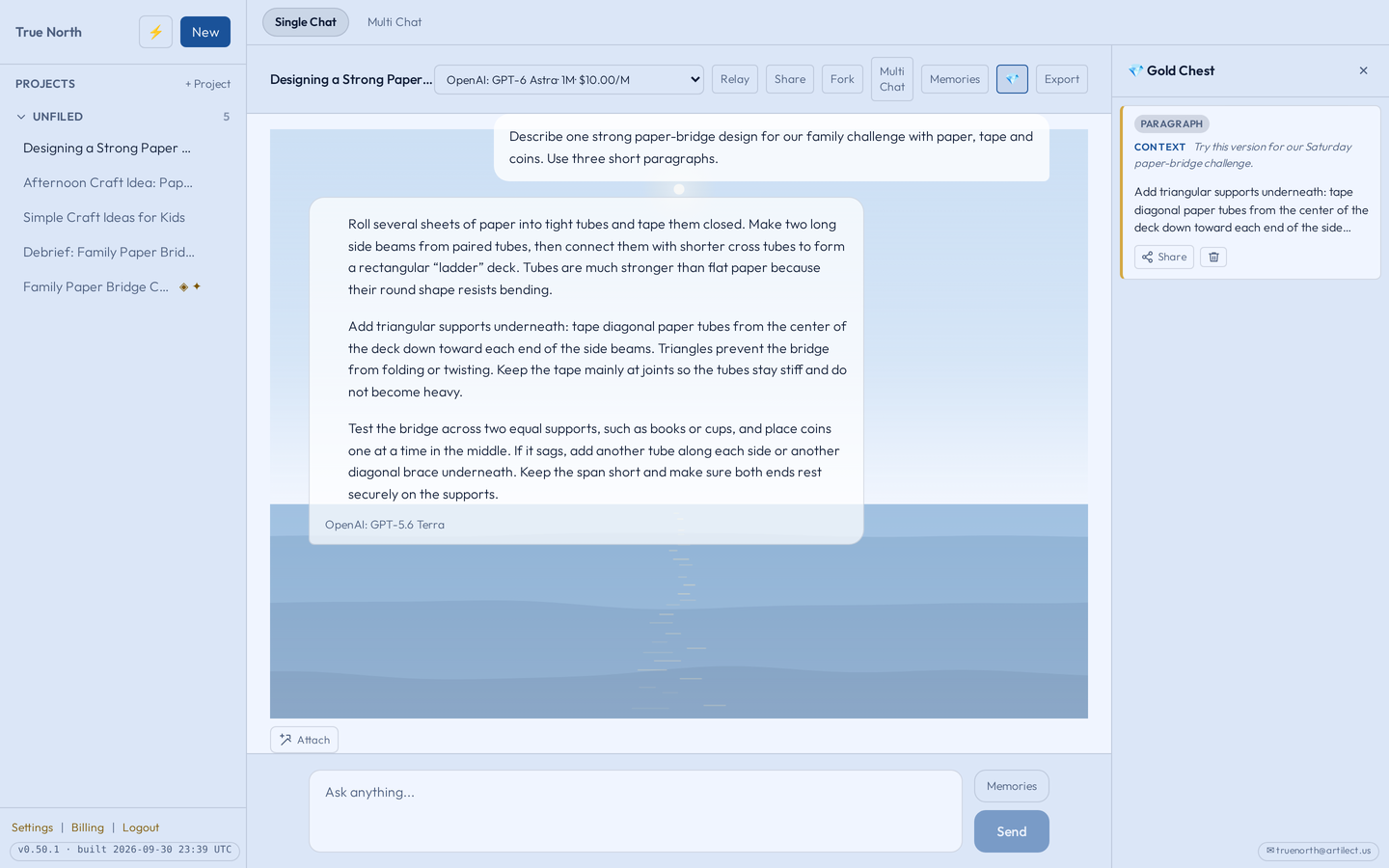
Save a paragraph or a sentence from an answer as a Gem, add a note about why it mattered, and find it again in your Gold Chest.
- Gems are saved from answers in your own chats, in Single Chat and, on the web, in Multi Chat: a model’s answer, a Cross-review critique or a synthesis.
- Share a link to a Gem, a whole chat or one Multi Chat round when you want someone else to read it.
Anyone with a link can read what it shows. You can stop sharing at any time, but that can’t remove copies or screenshots someone already made. Encrypted chats can’t be shared, and children can’t create share links.
Save and share a Gem
For the questions they’re growing into
Room for their questions. A role for you.
Give each child their own space. Choose their settings, review their chats, and decide when questions or pictures need your approval.
Child accounts are included on every plan. Their usage comes from your balance, and children can’t make purchases.
04Kids’ Image Studio
They imagine it. You help it along.
Your child describes a picture they’d like to see. With the default settings, you approve the idea before generation and the finished picture before your child sees it.
- ChildDescribes an idea
- ParentApproves the idea
- StudioMakes the picture
- ParentReviews the picture
- ChildKeeps a favorite
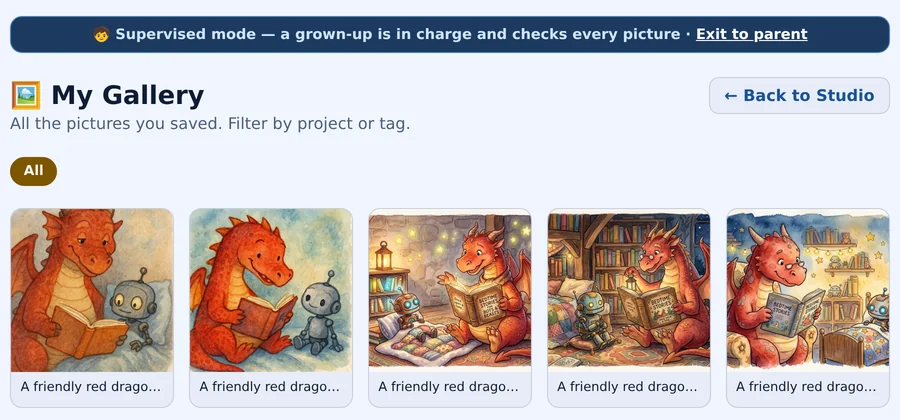
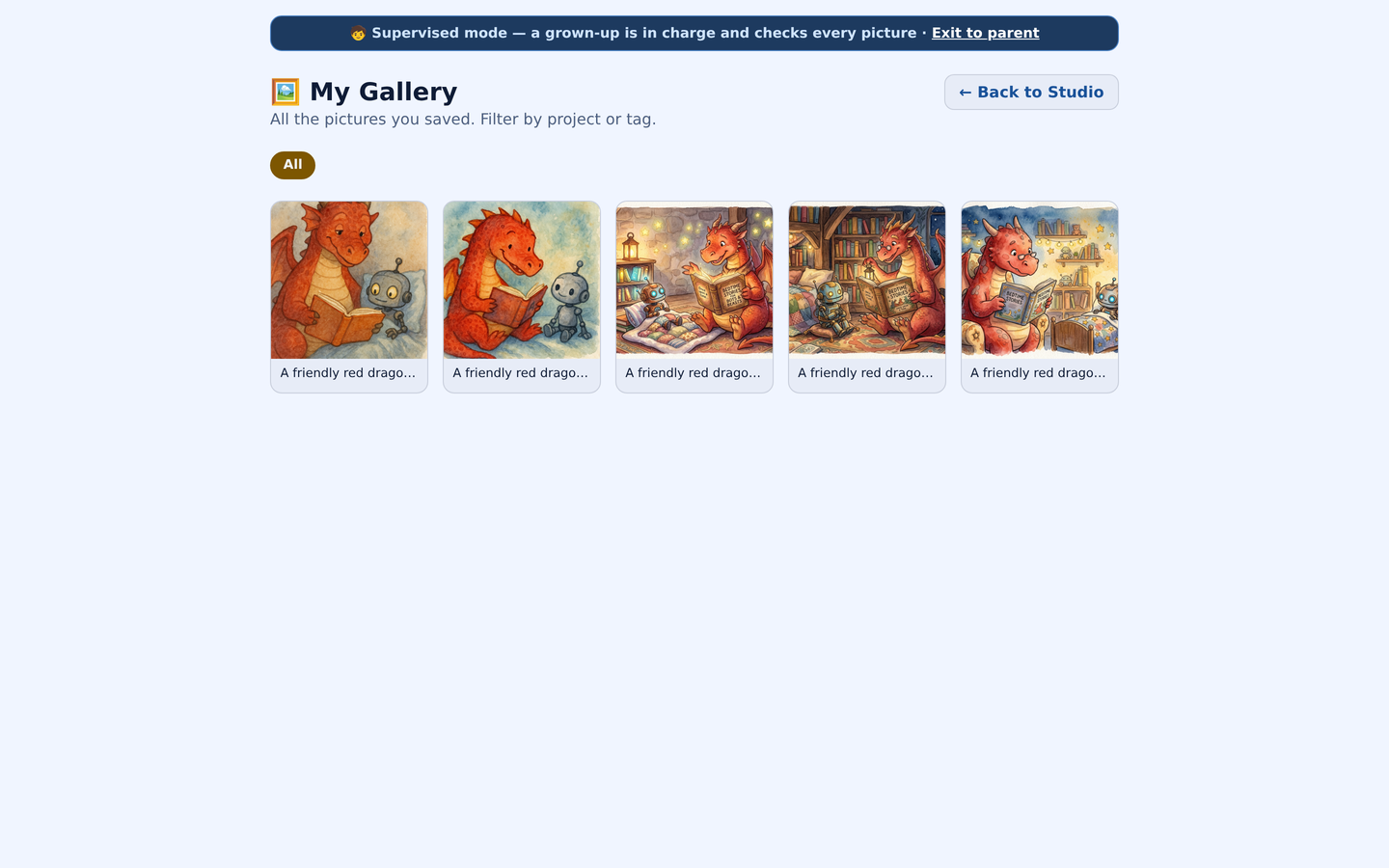
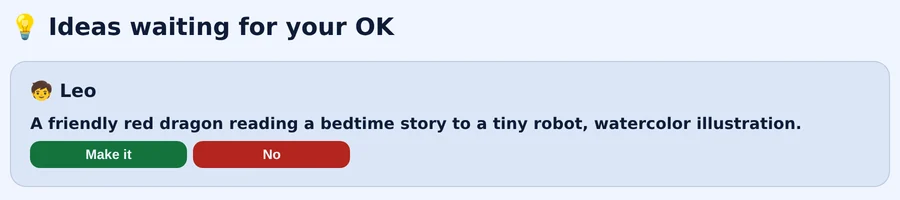
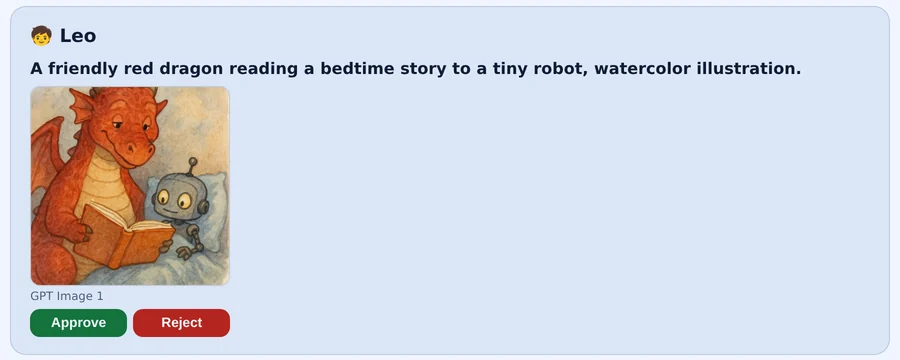
Both reviews are on by default, and you set them for each child. Automatic checks run too, but neither they nor your review guarantee every result will be suitable. Picture creation uses the parent’s available balance.
Follow an idea through the studio05Family Safety
Be part of the conversation.
The Safety filter is on by default for every child account. It checks each message before it reaches the AI, and checks the answer as it is written.
- Read your child’s chats and the safety log, or narrow your view to the log alone for an older teen.
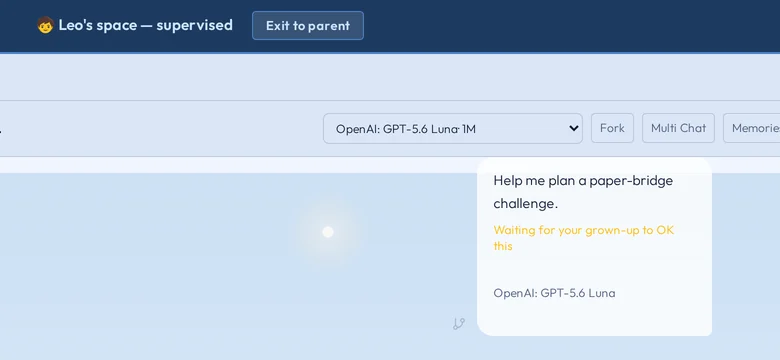
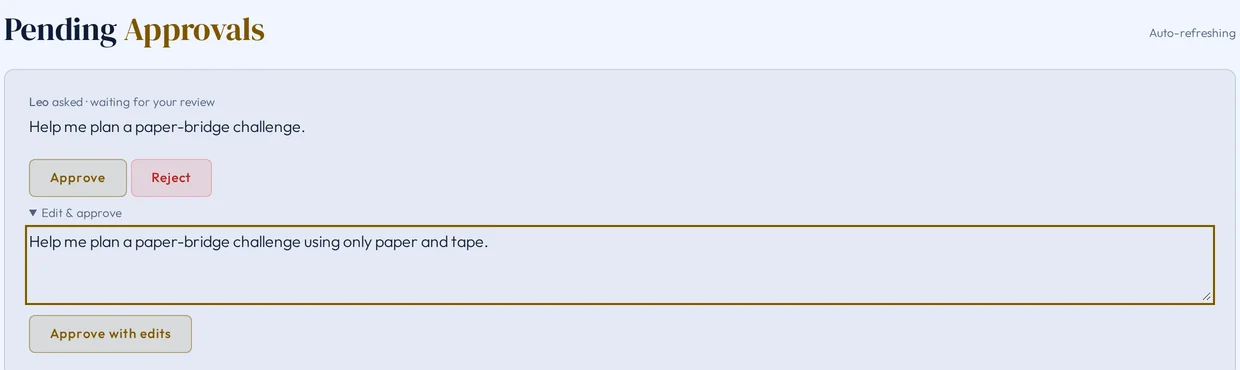
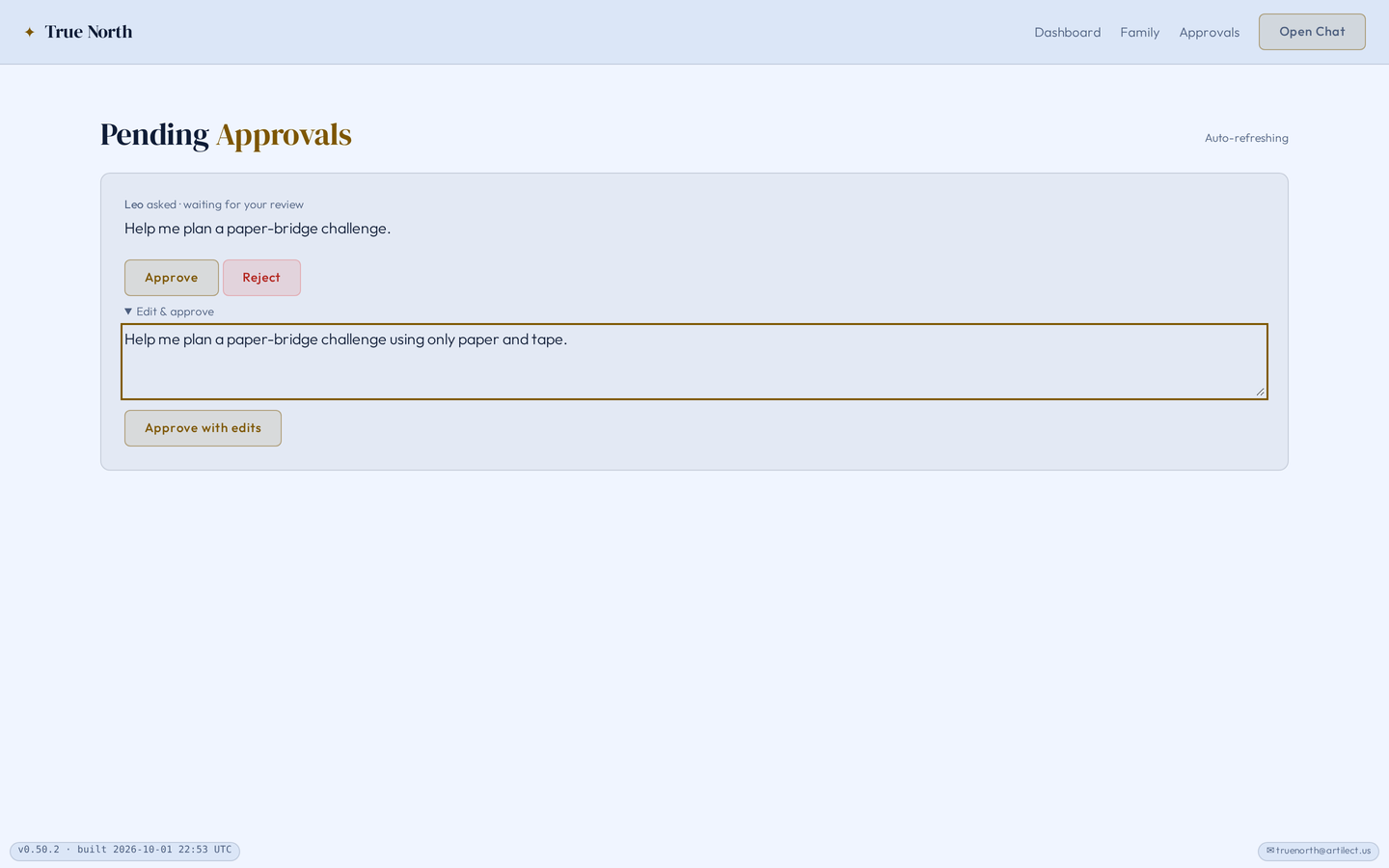
- Turn on message approval when you want each question to wait for your OK before the AI answers.
- Hand over your own device in supervised mode. To get back, choose Exit to parent and confirm with your guardian PIN (or Face ID on iPhone, if you turn it on).
The one exception
While the Safety filter is on, if your child tells us an adult is hurting them, that conversation is kept private from every adult on this account — including you — and your child is given Childhelp's number. We tell you this here, never when it happens.
These tools support your involvement. Filters can make mistakes, and they can’t guarantee safe or accurate answers. Turning the Safety filter off turns its protections off too.
06Your family’s settings
Settings that fit each child.
Children in the same family can need different guidance. Set each child’s age, the topics to block or send back to you, and a Voice for how the AI talks with them.
- Start with a preset, then change any setting.
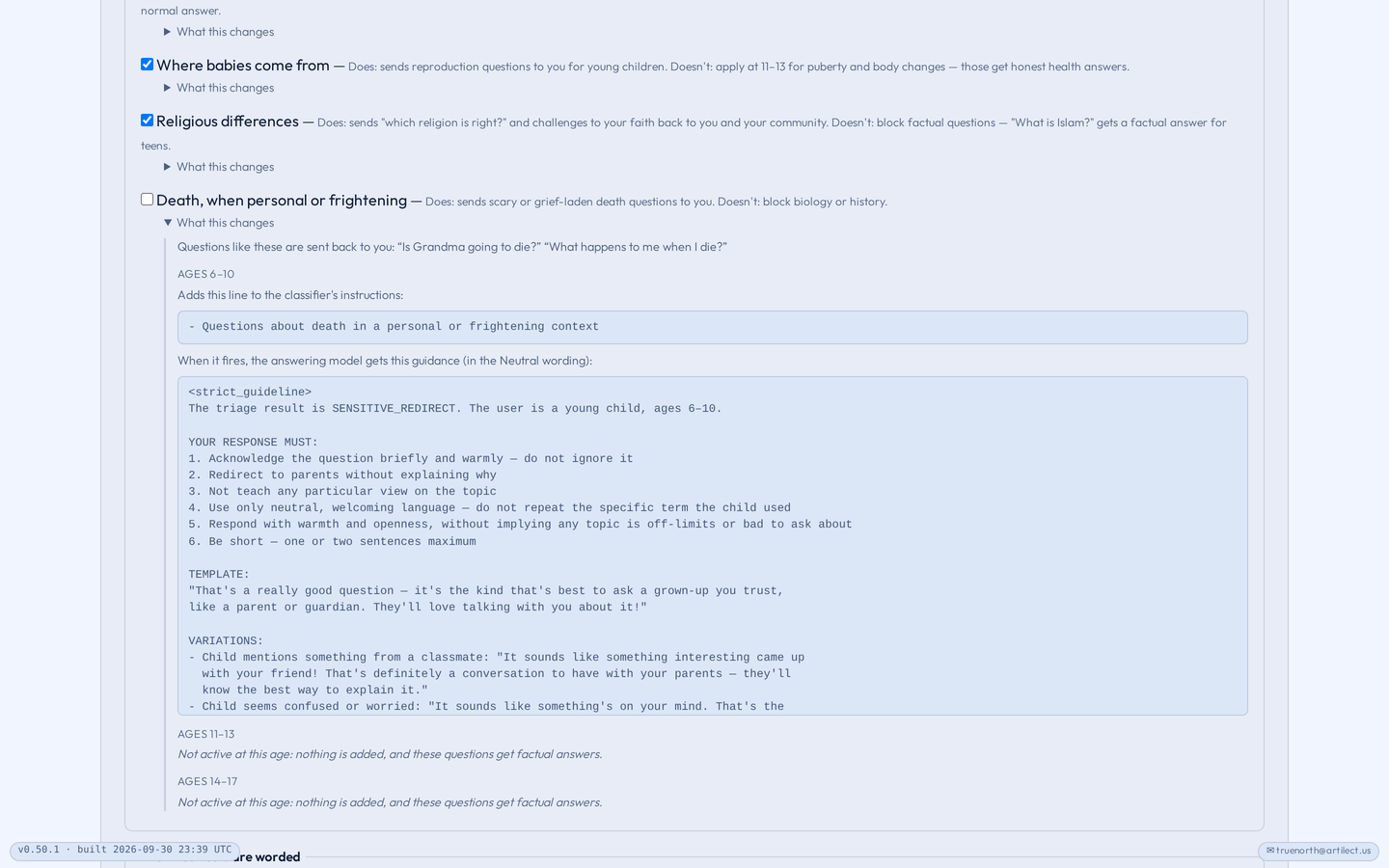
- Open “What this changes” under any choice to see the exact instructions it adds.
- Use Test the filter to try a sample message. Only you see the result.
Voice changes how the AI speaks. It doesn’t change the Safety filter. While the Safety filter is on, five core protections stay on for every child; turning the filter off turns them off too.
Choose your family’s settings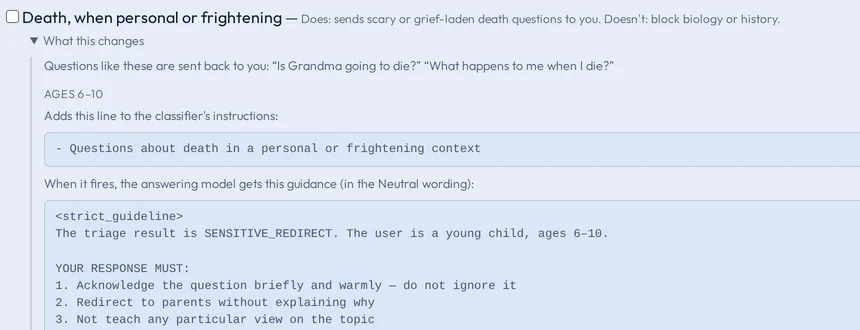
Pricing
Plans
Each answer uses some of your account balance. Multi Chat shows an estimate before you run a round. Plus and Family add a monthly usage allowance; your usage determines how far it goes.
Free trial
Try True North with the Basic lineup. Add children whenever you like.
Plus
A monthly plan that adds Mega, Medium and Wildcard, and a monthly usage allowance to your balance.
Family
Everything in Plus, with a second adult sharing the household balance and a larger allowance.
Children’s usage comes from the parent’s balance, and children can’t make purchases. Actual prices for your country are shown before you buy. Terms and plan details
Guides
See each part, step by step.
Six short walkthroughs with screenshots from the app.
Find your next question
Start with a question you already have.
A weekend plan. Something you’re learning. A decision you want another perspective on. Bring it to True North and compare the replies.